Fire TV → Home Assistant
Fire TVs don't show up in Home Assistant on their own. HMS FireTV is a tiny 2.2 MB service that speaks the Fire TV Lightning protocol and registers as many devices as you want — each one auto-publishes 15 button entities via MQTT Discovery, so they appear in HA with zero manual config. It even comes with an Angular web remote.
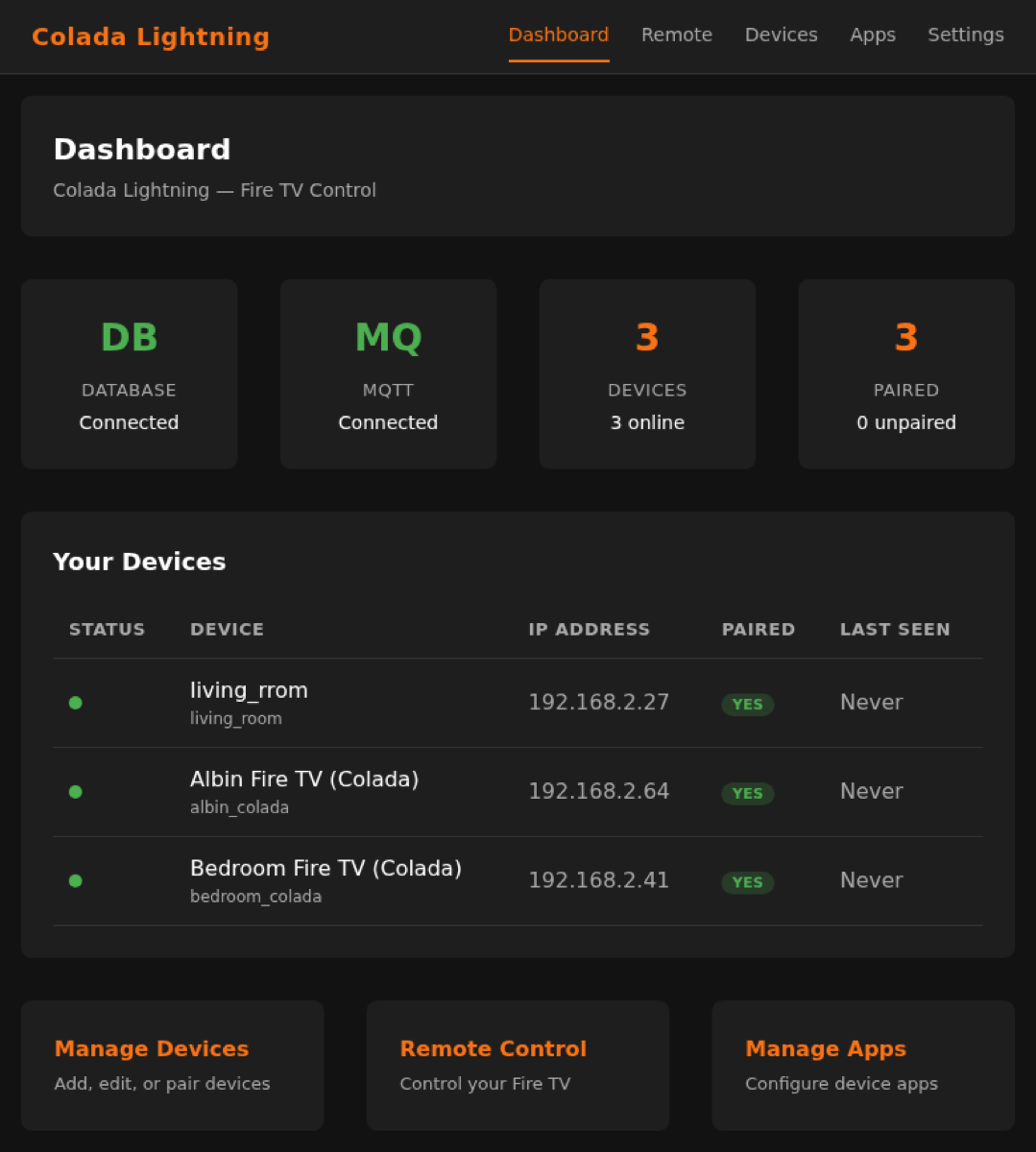
The web dashboard — DB/MQTT status, device overview and quick actions, all in one place.
What it does
Unlimited Fire TVs, one service
Register as many Fire TV devices as you like and manage them all from a single lightweight service. Pairing uses on-screen PIN verification, and IP discovery keeps each device reachable even when its DHCP address changes.
Event-driven HA integration
Every device automatically publishes 15 button entities over MQTT Discovery — navigation, media, volume, power and more — so they land in Home Assistant with no manual YAML. MQTT is optional: the API starts instantly and connects to the broker in the background.
Full Angular web UI
A built-in remote with D-pad, media and volume controls, keyboard input and favourite-app quick launch — plus dashboard, device manager and per-device app management. Drive your Fire TVs from any browser.
Get it running
Run with Docker
The fastest path — multi-arch images for amd64 and arm64.
docker pull ghcr.io/hms-homelab/hms-firetv:latest
docker run -p 8888:8888 \
  ghcr.io/hms-homelab/hms-firetv:latest

# With MQTT + PostgreSQL
docker run --env-file .env -p 8888:8888 \
  ghcr.io/hms-homelab/hms-firetv:latest

# Or
docker compose up -d
SQLite is the default — no database to set up. PostgreSQL is optional.
Wire it into Home Assistant
Point the service at your MQTT broker and devices appear automatically.
# Enable HA MQTT Discovery
export MQTT_BROKER_HOST=localhost
export MQTT_BROKER_PORT=1883
export MQTT_USER=your_user
export MQTT_PASS=your_pass

# Optional: auto-find Fire TVs on your LAN
export DISCOVERY_SUBNET=192.168.2
export DISCOVERY_INTERVAL=300
Each device publishes button entities to Home Assistant — no manual config needed.
MQTT topics
The service uses a clean, predictable topic layout for commands, discovery and availability.
maestro_hub/colada/{device_id}/{action}          # command input
homeassistant/button/colada/{id}_{btn}/config    # HA discovery
colada/{device_id}/availability                  # online / offline
Under the hood: a Drogon HTTP + REST API, an HTTPS Lightning client, Eclipse Paho MQTT with auto-reconnect, and a subnet discovery service that matches devices by token and updates their IPs.
Build from source
Prefer to compile it yourself? Build the C++ service and Angular frontend (Node 22+).
sudo apt install build-essential cmake libsqlite3-dev \
  libpaho-mqttpp-dev libcurl4-openssl-dev libjsoncpp-dev

mkdir build && cd build
cmake -DCMAKE_BUILD_TYPE=Release ..
make -j$(nproc)

cd frontend && npm ci
npx ng build --configuration production
cp -r dist/frontend/browser/* ../static/

./hms_firetv
Add -DBUILD_WITH_POSTGRESQL=ON and libpqxx-dev for PostgreSQL support.
Bring your Fire TVs into Home Assistant
Free, open source and MIT-licensed. Register unlimited devices, get instant MQTT Discovery, and a web remote out of the box.